Scanner and private-tag inventory
In the desktop app, select Privacy audit, expand Advanced setup, and enable Include scanner and private-creator inventory. This adds inventory output to the privacy audit; it is not a separate audit mode.
dicomqc scan --vendor-summary groups files by their declared manufacturer,
model, and software versions, and lists private creator blocks. Use it to review
mixed acquisition software and identify private metadata that needs inspection.
The inventory is optional and does not change the audit findings.
Manufacturer, model, software versions, and private creator labels are copied
into the inventory. These values are untrusted and may contain identifying
information. Review reports before sharing them, including when you also use
--policy: policy checks do not establish that these labels are safe.
Private payload values are never included.
Try the inventory demo
All three synthetic files below declare manufacturer Example Imaging and model
Research MR. Their patient IDs are pseudonyms, with no birth dates.
| File | Software version | Private creator labels | Private payload elements |
|---|---|---|---|
image-001.dcm | 1.0 | ACME_ACQUISITION | 1 |
image-002.dcm | 1.0 | ACME_ACQUISITION | 1 |
image-003.dcm | 1.1 | ACME_ACQUISITION; nested ACME_PROCESSING | 3, including one without a creator |
The third file contains two sequence items: one declares its own private creator,
and the other has a private element without one. Neither inherits the top-level
creator. The payload elements use tag (0029,1010); their values are not shown
in the inventory.
Generate the data and all report formats:
dicomqc demo --vendor-demo --output-dir vendor-demo
The command creates vendor-demo/dicom/ and writes the reports under
vendor-demo/dicomqc/. Open report.html, then expand Scanner and private-tag
inventory.
The inventory shows two equipment-label groups: software 1.0 in two files and
1.1 in one file. Across the dataset there are four private creator attributes,
five private payload elements, and one payload element without a matching
creator. These are metadata counts, not five findings or two verified physical
scanners.
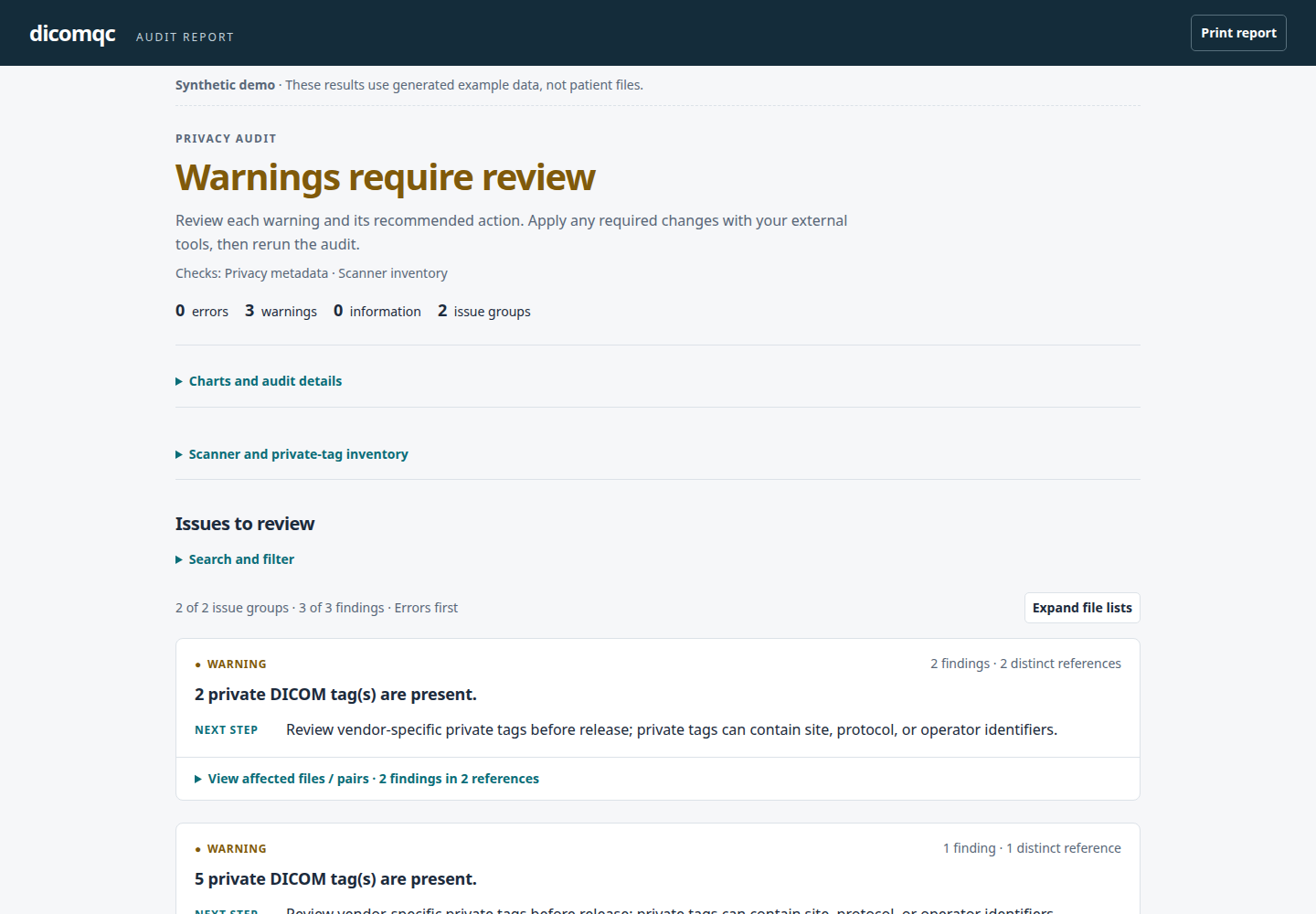
The audit has three private-tag warnings, one per file, and no errors. Changing software versions is not itself an error. The inventory adds context for review; it does not suppress the existing private-tag warnings or certify that any private block is safe.
View the synthetic scanner and private-tag inventory
To rerun the audit explicitly:
dicomqc scan vendor-demo/dicom/ --vendor-summary \
  --html vendor-demo/dicomqc/report.html \
  --json vendor-demo/dicomqc/report.json \
  --csv vendor-demo/dicomqc/findings.csv \
  --multiqc vendor-demo/dicomqc/dicomqc_mqc
This scan exits 1 because of the warnings. The demo command itself exits 0
when its expected results are generated. HTML and MultiQC keep the inventory in
a folded panel; JSON adds a vendor_summary object. CSV still contains only
findings, not the inventory. See output formats
and the MultiQC walkthrough.
Use it on your data
Only request the inventory when you intend to retain these metadata labels:
dicomqc scan candidate/ --vendor-summary --html inventory.html --json inventory.json
Keep outputs outside the DICOM input directories and review the exported labels
in a restricted environment. Without --vendor-summary, the extra inventory is
not generated. The option is available for scan, not compare.
Read the inventory
Equipment rows group exact top-level manufacturer, model, and software-version labels. They describe what the files declare, not independently verified hardware. Different software labels can help you plan a review of acquisition or de-identification settings; the inventory does not judge whether a difference is appropriate.
Private creator rows identify a group, block, and creator label. File counts are readable input records; occurrence counts include separate blocks inside sequence items. Element counts exclude the creator attributes themselves. A creator can be listed even when its block contains no payload elements.
A private creator reserves a block within its own dataset or sequence item. Reservations are not inherited by nested items, so a root-level creator cannot explain an otherwise unassigned nested element. DICOM private data elements.
Missing, empty, or invalid creator declarations leave private elements unassigned. This identifies metadata for review; it is not an automatic privacy verdict. Private attributes may contain useful acquisition information or identifying data, and a familiar creator label does not establish safety. DICOM Retain Safe Private Option.
The inventory does not interpret private payload contents, apply a safe-tag allowlist, validate a vendor's conformance statement, inspect pixels, or modify files.