Architecture
Desktop and CLI share one Python audit engine. It reads DICOM metadata, runs the selected checks, and writes reports. Input files remain unchanged; pixel data is not loaded or inspected.
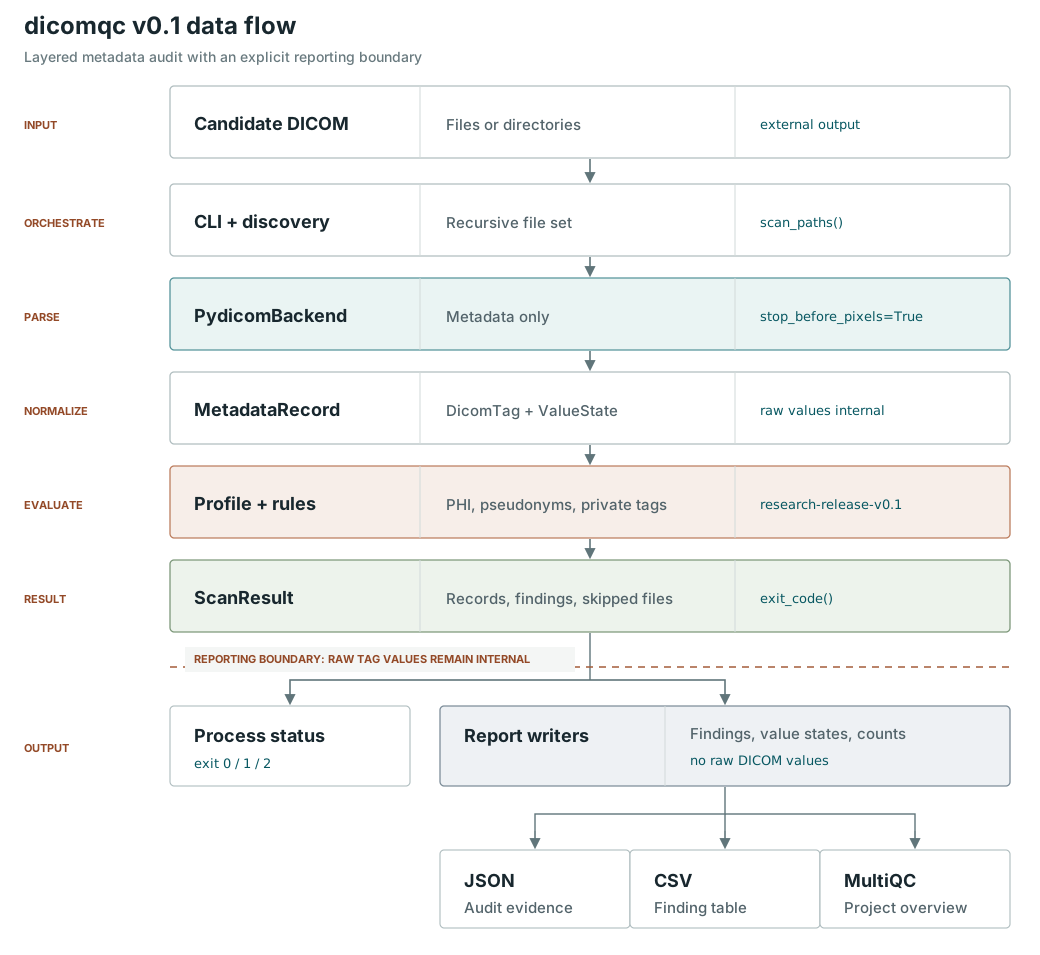
Main components
| Component | Responsibility |
|---|---|
| Desktop | React interface and Tauri shell for native dialogs, projects, and report previews. Calls an authenticated local FastAPI service, not the CLI. |
| CLI | Calls the same Python audit functions for scripted workflows. |
| Metadata reader | Uses pydicom to read files into a common metadata model used by the checks. |
| Audit engine | Runs privacy checks or compares paired datasets, with optional checks supported by each mode. |
| Report writers | Produce HTML, JSON, and CSV. Privacy audits can also produce MultiQC custom content. |
See Audit modes for the checks available in each mode.
Execution and storage
The Desktop service runs locally with one active audit at a time. Each audit runs in a separate Python process; the thread setting controls batch workers within it. Additional audits wait in a queue.
The app manages its working files and SQLite run database. Saving a
.dicomqc project stores settings, runs, logs, reports, and policy/manifest
copies in one archive. Original DICOM files remain external references.
Opening a project restores its results into a private working session.
The native shell holds API credentials. HTML previews are isolated from native commands. See Desktop projects for saving and exporting. The CLI writes reports to the paths supplied by the user.
What stays out of reports
Checks use raw metadata values internally, but findings omit observed tag values. This does not make every report anonymous:
- Ordinary scan JSON includes study/series UIDs, manufacturer, and modality. Policy-enabled scans, UID-enabled scans, and comparisons omit that raw context.
- HTML does not embed raw records by default. Policy reports omit allowed values and patterns, but retain policy/rule IDs and the policy file digest.
- Optional scanner inventory includes observed equipment and private-creator labels, even with policy or UID checks enabled. It never exports private payload values.
- Reports can contain paths or file references. Saved projects also contain policy and manifest copies.
Review reports and projects for sensitive information. Use non-identifying policy and rule IDs. Passing an audit does not certify that data can be shared.