Read DICOM metadata
Discover files recursively and parse metadata without loading pixel data.
DICOM metadata quality control
Check DICOM metadata before sharing research data.
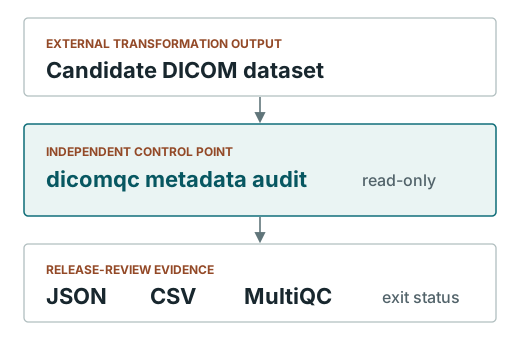
dicomqc audits de-identified DICOM metadata for privacy risks. It flags patient identifiers, unexpected pseudonym formats, and private tags, and writes HTML, JSON, CSV, and MultiQC reports. Use the desktop app for interactive audits or the CLI for automation. It never changes the DICOM files.

Current checks
Run the same checks on files from different providers or de-identification tools, and repeat them when a dataset changes.
Discover files recursively and parse metadata without loading pixel data.
Identify direct PHI fields, pseudonym-pattern failures, and private tags.
Open an offline HTML report, save JSON or CSV, or view results in MultiQC.
Use exit codes to continue a workflow, request review, or stop on errors.
Limits
dicomqc does not pseudonymize or modify DICOM files, inspect pixels or facial features, or certify DICOM PS3.15, BIDS, HIPAA, or GDPR compliance. A qualified reviewer must still decide whether the data can be shared.
Documentation