UID integrity
UID checks are an optional addition to a privacy audit, not a separate audit mode. In the desktop app, expand Advanced setup and enable Check UID syntax and relationships. The CLI equivalent is shown below.
UIDs identify studies, series, and individual DICOM instances. A broken export
or remapping step can give two entities the same identifier or place a series
under conflicting studies. Add --uid-checks to look for these problems:
dicomqc scan candidate_release/ --uid-checks --html uid-report.html --json uid-report.json
The checks run alongside the built-in privacy checks and any --policy checks.
They never change DICOM files. Scan the whole candidate collection together:
conflicts between separately scanned folders cannot be detected.
What is checked
Only the top-level StudyInstanceUID, SeriesInstanceUID, and
SOPInstanceUID participate. Findings have error severity and stable IDs under
uid-integrity-v0.1:
| Rule suffix | Problem |
|---|---|
invalid_format | A populated identifier is not a scalar UI value, exceeds 64 characters, contains nonnumeric components, or has a leading zero in a multi-digit component. |
role_reuse | One UID appears in different study, series, or instance roles. Each affected field is reported. |
series_study_conflict | One series UID is associated with multiple study UIDs. Each affected file is reported. |
instance_context_conflict | One instance UID is associated with conflicting study or series UIDs. Each affected file is reported. |
The syntax and distinct-role checks follow DICOM PS3.5 §9. The hierarchy checks follow the study/series/instance relationships in DICOM PS3.3 §A.1.2. Each finding records its standard reference.
Try the UID demo
dicomqc demo --uid-demo --output-dir dicomqc-uid-demo
This generates four synthetic files in each of candidate/ and corrected/,
plus before/after reports. The table uses short aliases, not literal UID values:
| Candidate file | Study | Series | Instance | Problem |
|---|---|---|---|---|
image-001.dcm | A | A1 | Invalid | Instance UID has a component with a leading zero. |
image-002.dcm | B | B | B1 | Study and series use the same UID. |
image-003.dcm | C | Shared | Shared instance | Shares a series and instance UID with a file in a different study. |
image-004.dcm | D | Shared | Shared instance | Same conflict as the previous file. |
Before corrections
Open dicomqc-uid-demo/before.html. There are seven errors in four issue
groups: one malformed identifier, two affected fields with role reuse, two
series-to-study conflicts, and two instance-context conflicts. The scan exits 2.
HTML report: UID findings
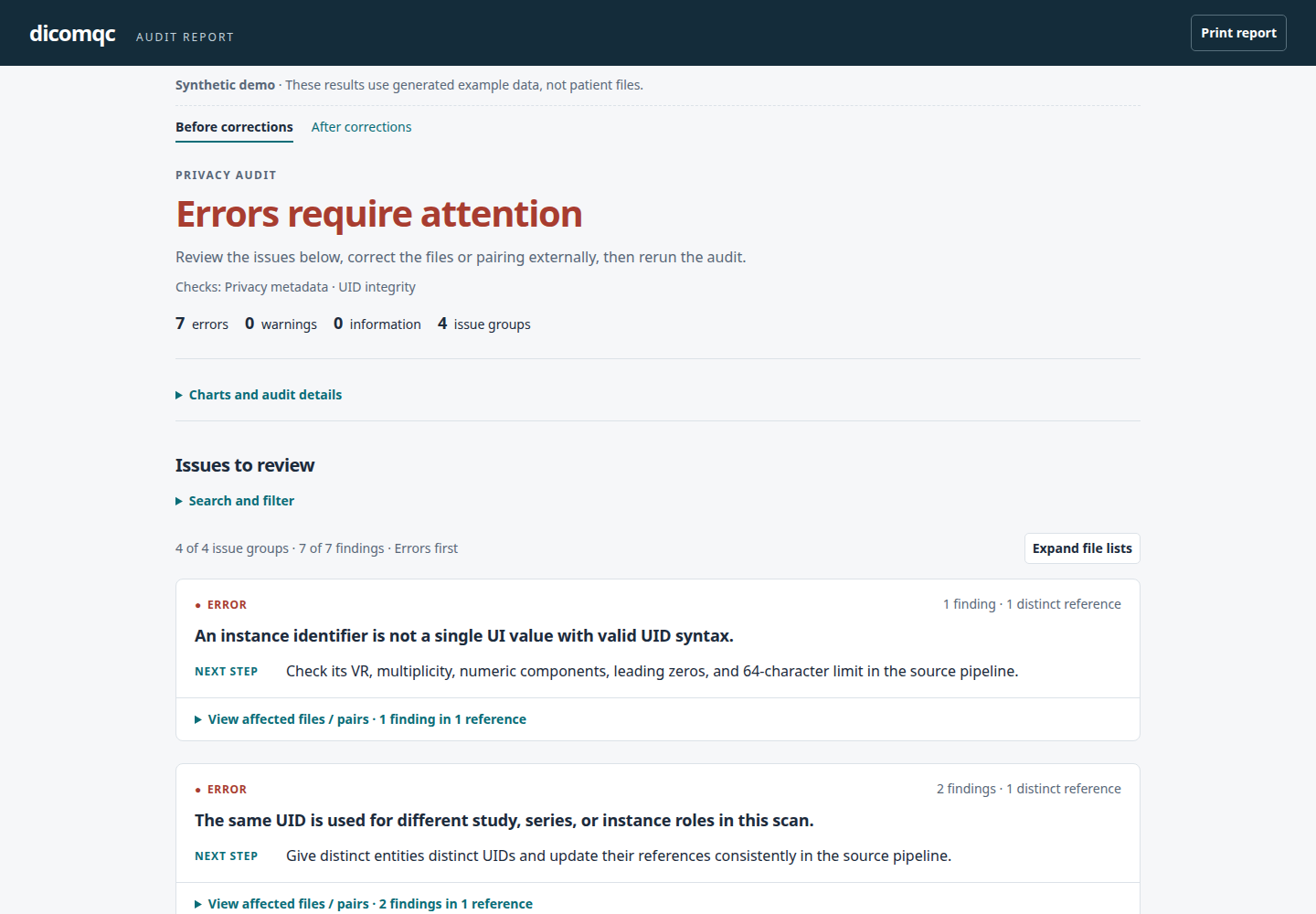
Expand Charts and audit details to see coverage. Three of the four files have three syntactically valid identifiers; that does not mean their hierarchy is consistent. Invalid identifiers do not participate in cross-file comparisons.
After corrections
corrected/ is generated independently with valid, distinct identifiers and
consistent relationships. It produces no findings and exits 0:
dicomqc scan dicomqc-uid-demo/corrected/ --uid-checks --html uid-corrected.html
HTML report: corrected identifiers and coverage
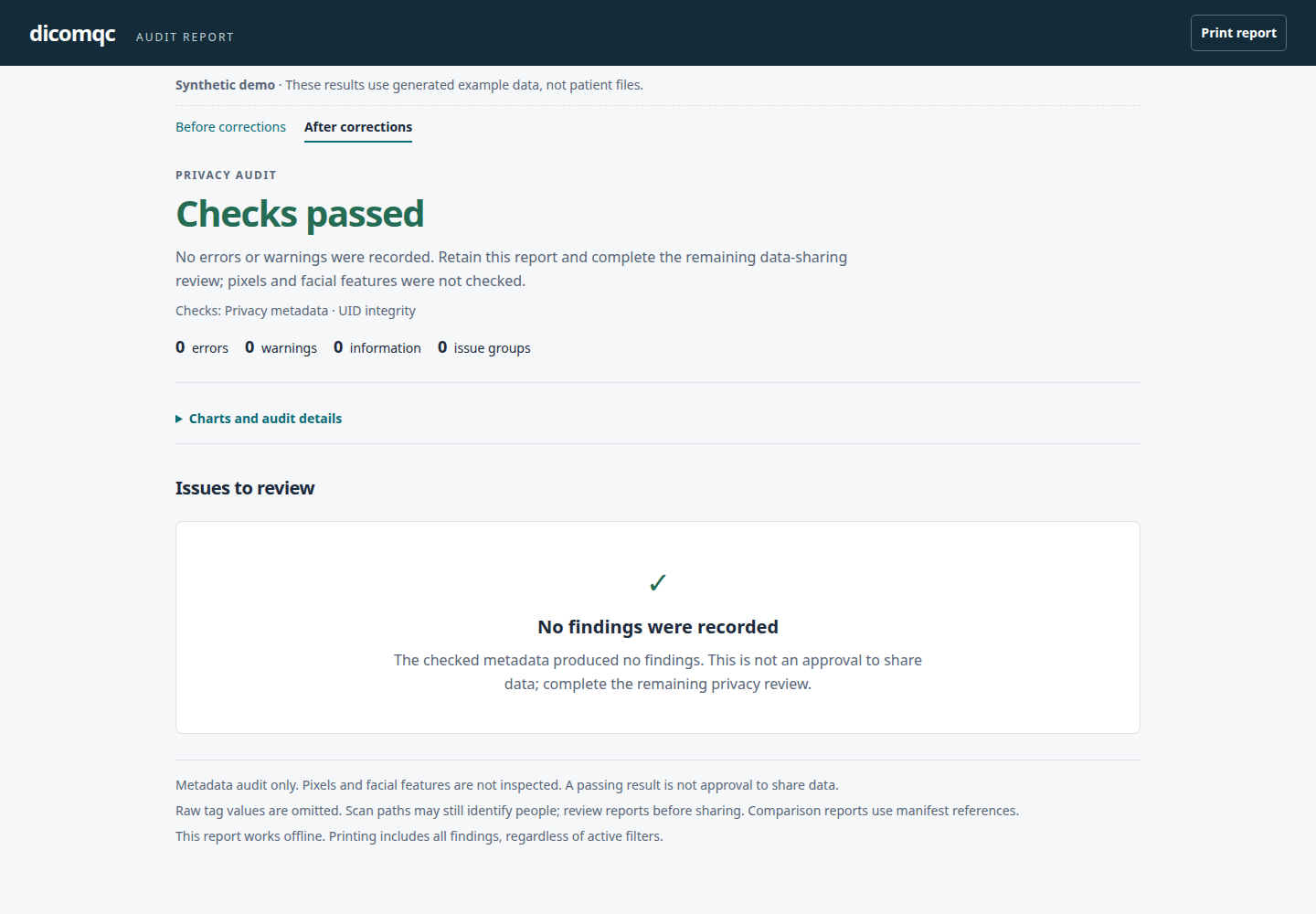
The demo also writes before.json, after.json, CSV findings, and
before_mqc/ and after_mqc/ custom-content directories. To view the failing
scan in MultiQC, run:
multiqc dicomqc-uid-demo/before_mqc --outdir dicomqc-uid-demo/multiqc
MultiQC uses the same status wording and UID coverage as the standalone report.
JSON and CSV from this scan
JSON adds uid_checks with the check profile, file count, per-field coverage,
usable series/study pair count, and complete hierarchy count. A field is counted
as valid, absent_or_empty, or invalid once per readable file.
Example JSON coverage
{
  "uid_checks": {
    "profile_id": "uid-integrity-v0.1",
    "files_checked": 4,
    "fields": {
      "StudyInstanceUID": {"valid": 4, "absent_or_empty": 0, "invalid": 0},
      "SeriesInstanceUID": {"valid": 4, "absent_or_empty": 0, "invalid": 0},
      "SOPInstanceUID": {"valid": 3, "absent_or_empty": 0, "invalid": 1}
    },
    "series_study_pairs_checked": 4,
    "complete_hierarchies_checked": 3
  }
}
Example CSV rows
These are selected columns from before.csv; all rows have error severity.
Rule suffixes below follow the uid-integrity-v0.1. prefix.
| path | Rule suffix | keyword |
|---|---|---|
candidate/image-001.dcm | invalid_format | SOPInstanceUID |
candidate/image-002.dcm | role_reuse | StudyInstanceUID |
candidate/image-002.dcm | role_reuse | SeriesInstanceUID |
candidate/image-003.dcm | series_study_conflict | SeriesInstanceUID |
candidate/image-003.dcm | instance_context_conflict | SOPInstanceUID |
candidate/image-004.dcm | series_study_conflict | SeriesInstanceUID |
candidate/image-004.dcm | instance_context_conflict | SOPInstanceUID |
CSV contains findings, not coverage. Keep JSON alongside it.
Scope and privacy
- Absent or empty identifiers are coverage gaps, not errors: this is not an IOD-specific required-attribute validator.
- Values are checked after parsing. Raw-byte padding, registered UID roots, reserved namespaces, global uniqueness, nested references, file-meta UIDs, SOP classes, and patient-to-study consistency are outside this check set.
- Repeated copies with the same instance UID and hierarchy are not errors. No content comparison is made, so differing pixel data under one UID can go undetected.
- UID checks apply to
scan, notcompare. They do not assess whether UIDs were retained or remapped correctly between source and candidate data. - Findings omit observed UID values. UID-enabled scan JSON also omits legacy
record-context values. File paths remain visible; choose non-identifying names.
Explicit
--vendor-summarystill exports observed equipment and creator labels. - Known UID-validation diagnostics are captured without printing their values. Other parser warnings mark the file unreadable rather than silently passing it.
These checks do not certify DICOM compliance or approve data for sharing.