Dataset comparison
Compare original source DICOM files with the candidate DICOM copies produced by external de-identification. This checks whether processing preserved file coverage and assigned patient pseudonyms consistently. It does not compare two dicomqc runs. Privacy checks also run on readable paired candidate files.
Run the synthetic example
- In Setup, select Dataset comparison.
- Open Load example data and select Dataset comparison.
- Select the resulting run and open Reports.
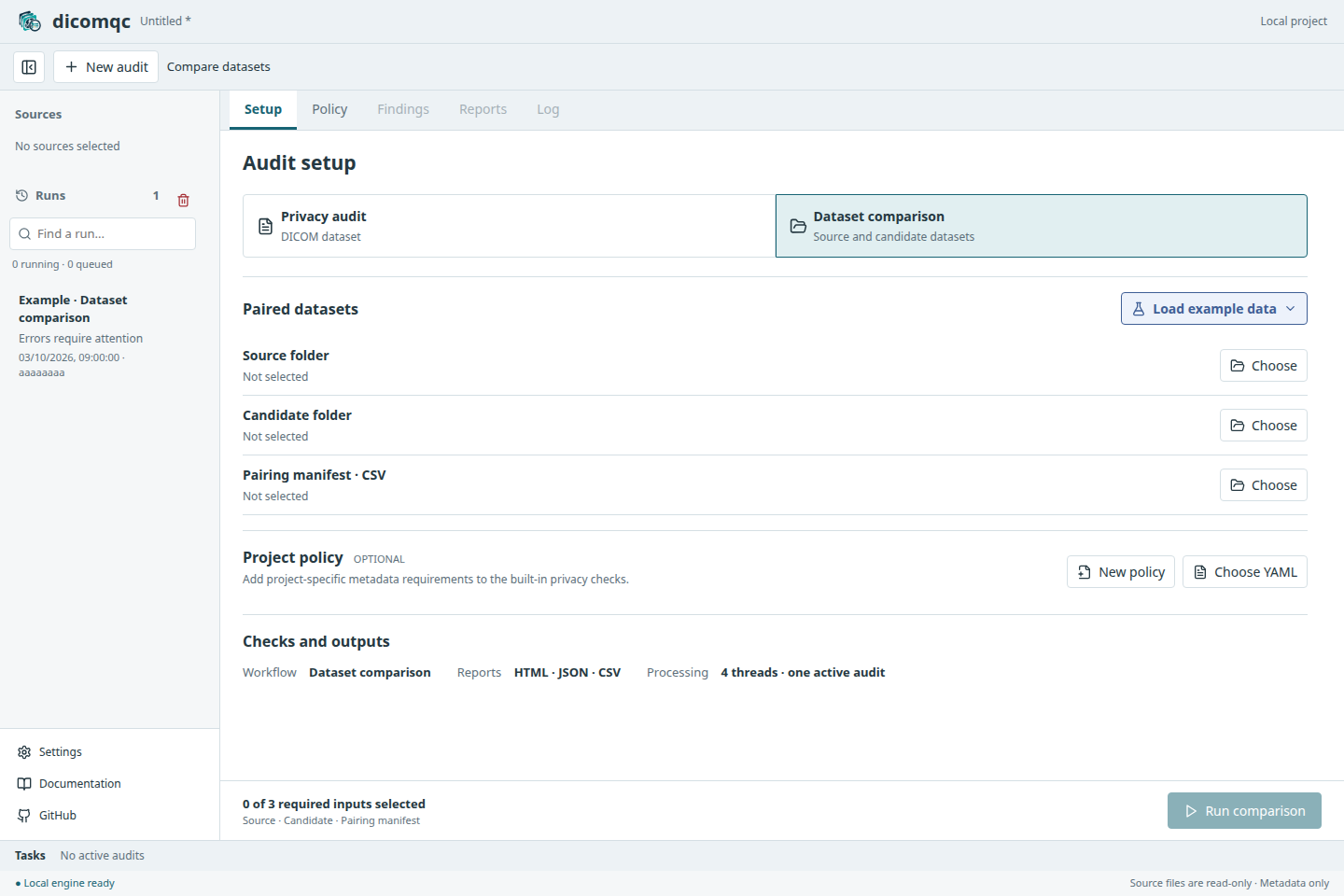
The example generates three source files for two fictional patients, a flawed candidate dataset, a corrected dataset, and a pairing manifest. It writes before and after reports within the example run. The corrected files are generated fixtures, not files repaired by dicomqc.
Compare the results
Select the before HTML report. Expect three errors: one missing candidate file and two findings for a source patient assigned different pseudonyms across visits. Only two of the three pairs are readable.
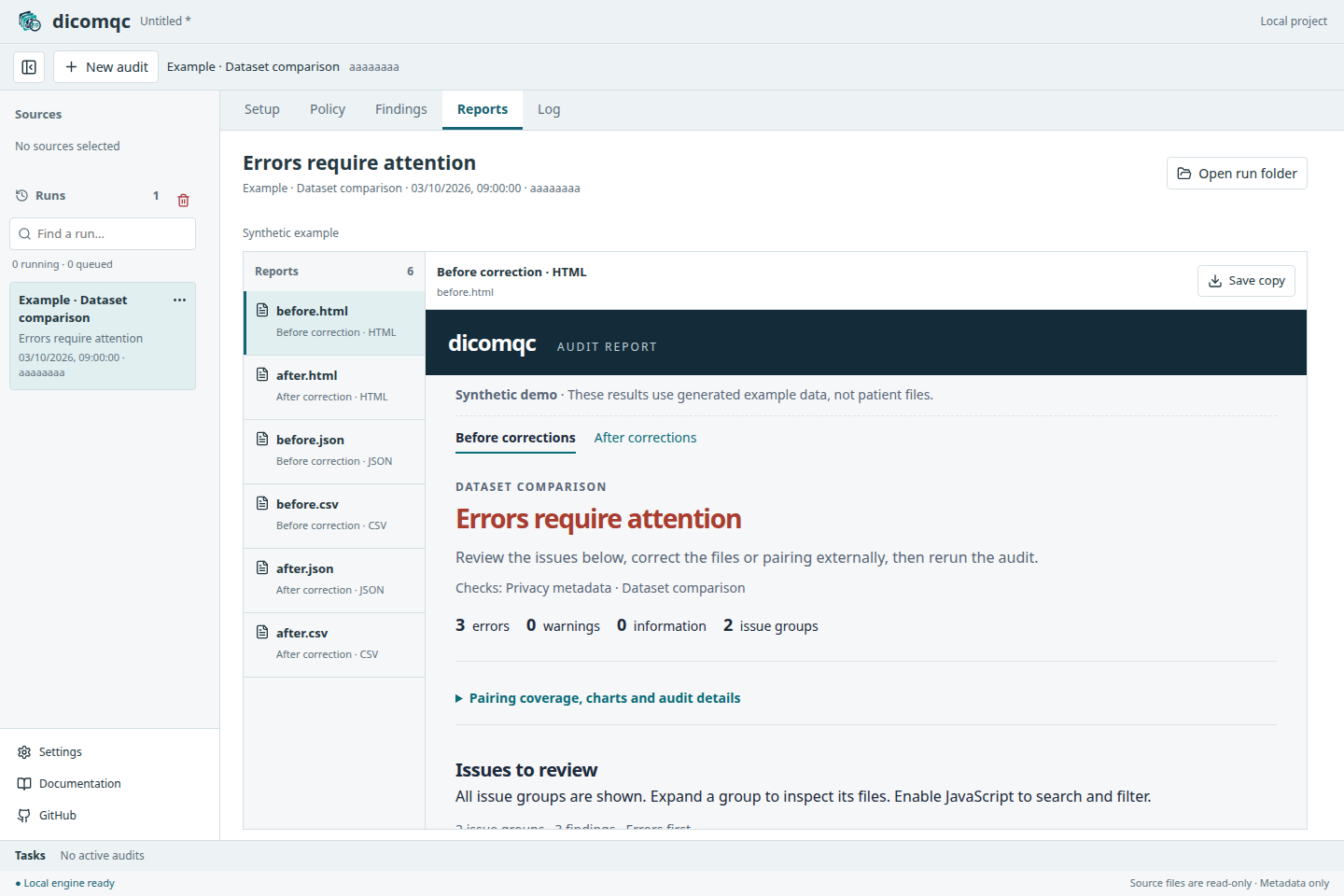
The existing candidate files pass individual privacy checks. These problems become visible only through comparison with the source and manifest.
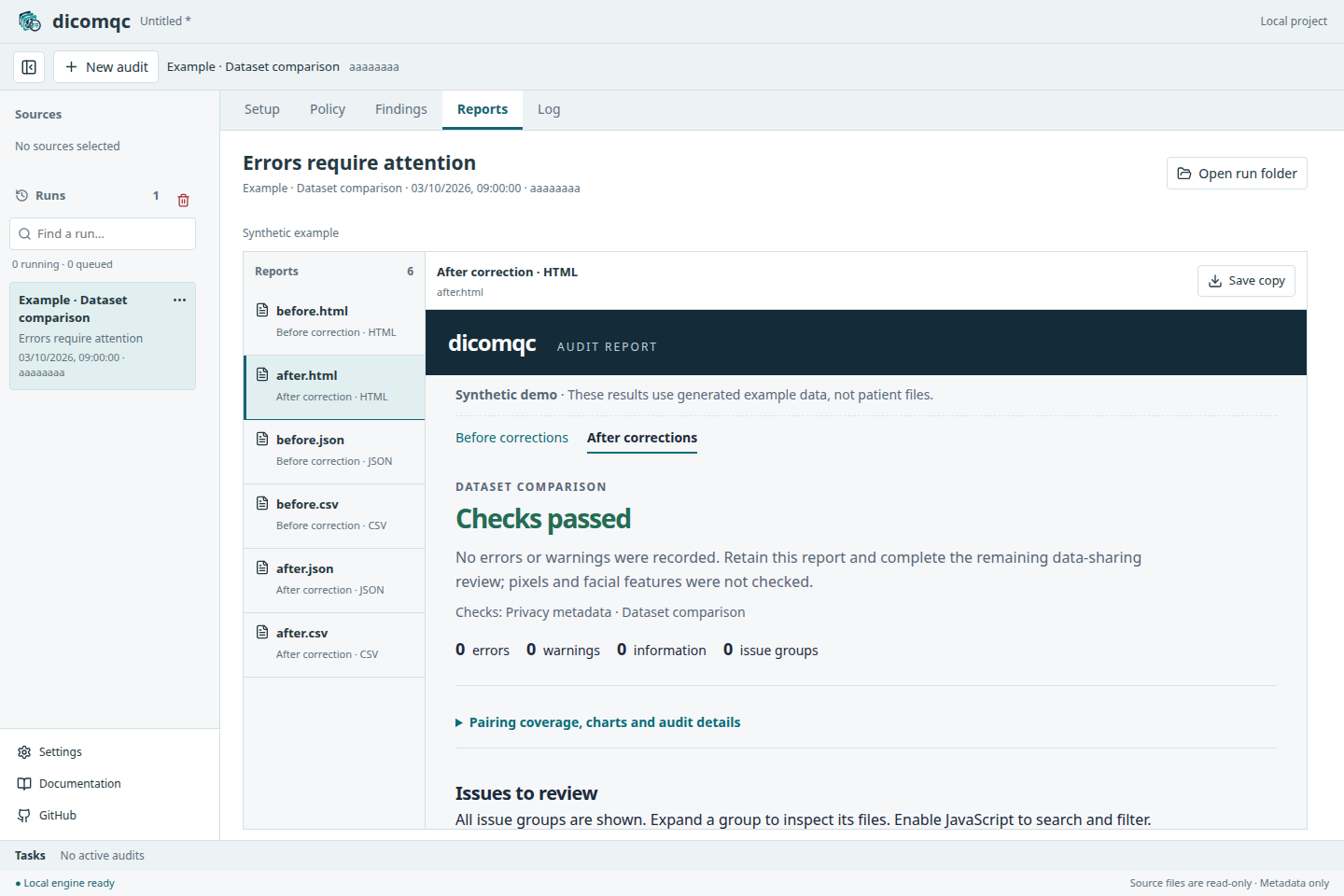
Select the after HTML report: all three pairs are readable with no findings. This illustrates the expected correction, not a guarantee of anonymity. Use File > Save Project to retain the run and reports.
Compare your own datasets
| Input | Select |
|---|---|
| Source folder | Original DICOM files, under restricted access |
| Candidate folder | Output produced by an external de-identification tool |
| Pairing manifest | CSV with source,candidate columns and relative file paths |
Have the external processing workflow record file pairs; dicomqc cannot infer them from renamed files. See manifest requirements.
Select all three inputs, then Run comparison. An optional project policy applies only to candidate metadata. UID checks, scanner inventory, and MultiQC output are not available in this mode.
References such as pair-000003/candidate identify manifest data rows, not
patient IDs. Use the restricted manifest to locate files.
Source data and pairing manifests can identify patients. Keep them under restricted access. Saved projects include a copy of the selected manifest; review project contents before sharing.