Run Comparison
cbicall compare-runs compares completed CBIcall run directories or
run-report.json files. Use it to audit whether repeated local, HPC,
container, cloud, or backend runs used the same framework, workflow, resources,
execution contract, and comparable outputs.
compare-runs does not prove that two biological analyses are equivalent.
It checks the CBIcall execution and output evidence recorded for completed runs.
For variant-output reproducibility, start with the normalized VCF fingerprint.
Run It
- Two runs
- Three or more runs
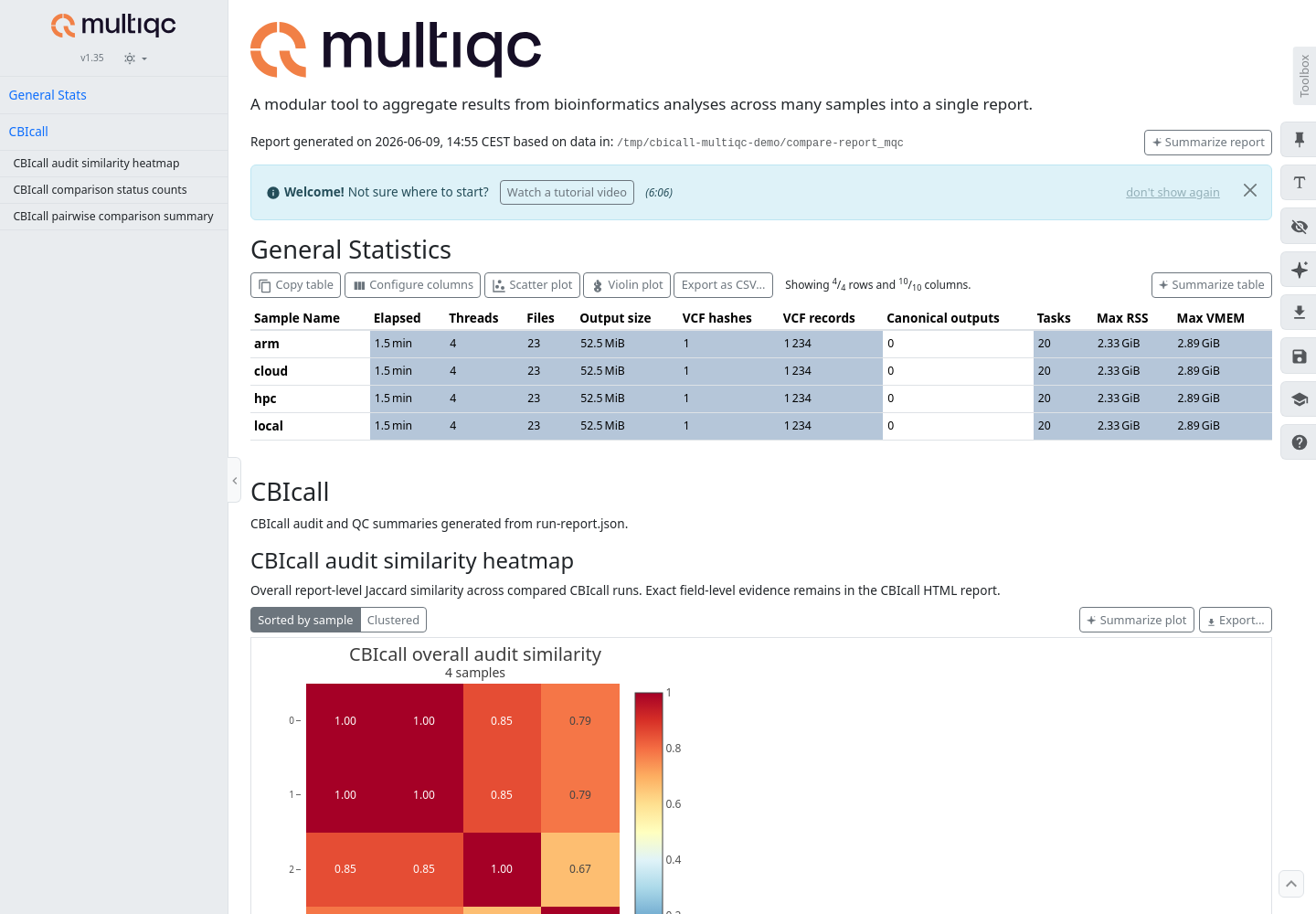
- MultiQC summary
bin/cbicall compare-runs run_a/ run_b/ --output compare-report.txt
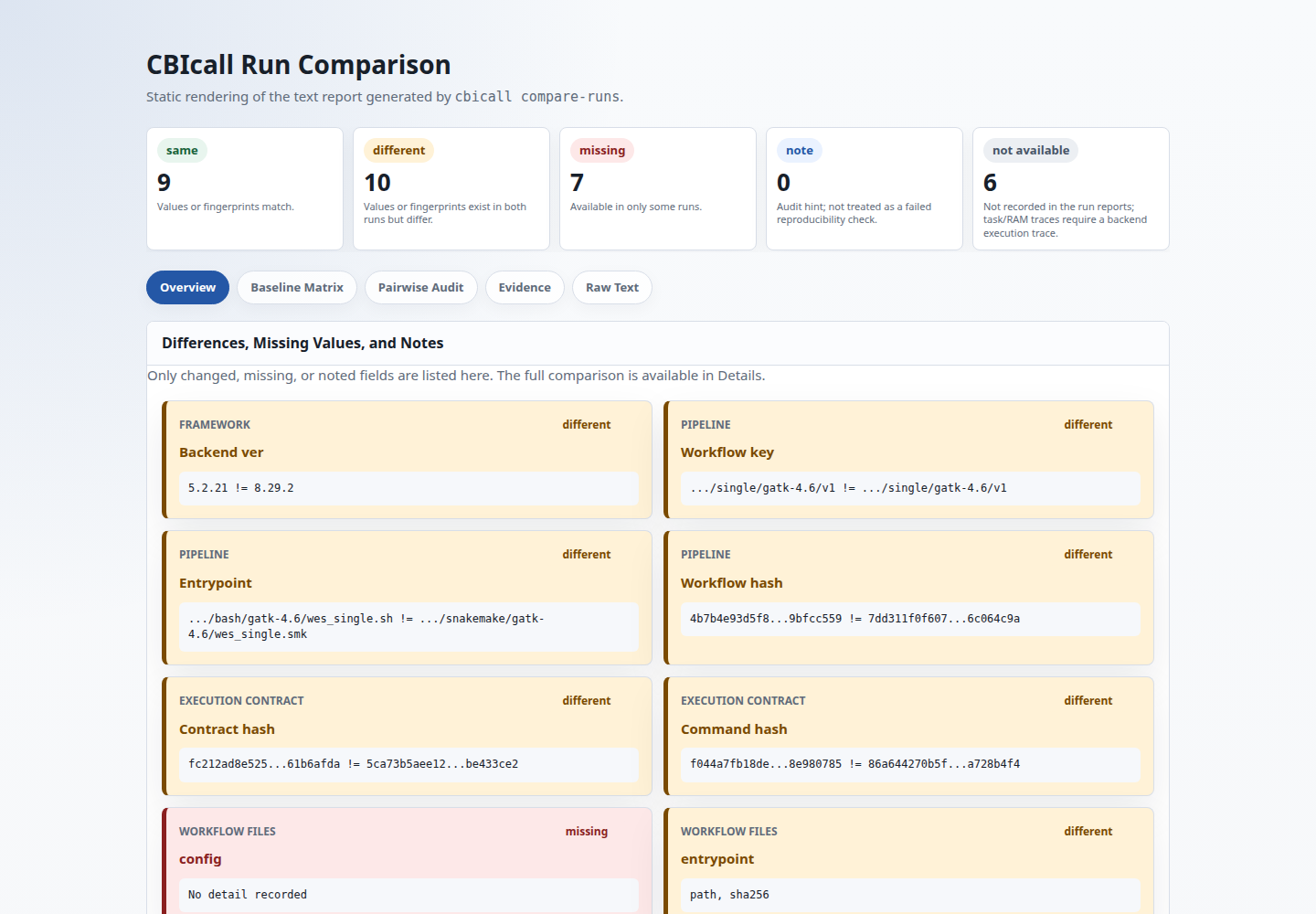
This prints a direct pairwise comparison and writes compare-report.html by
default.
bin/cbicall compare-runs baseline_run/ repeat_1/ repeat_2/ repeat_3/ \
  --alias baseline local-repeat cloud-repeat hpc-repeat \
  --output compare-report.txt
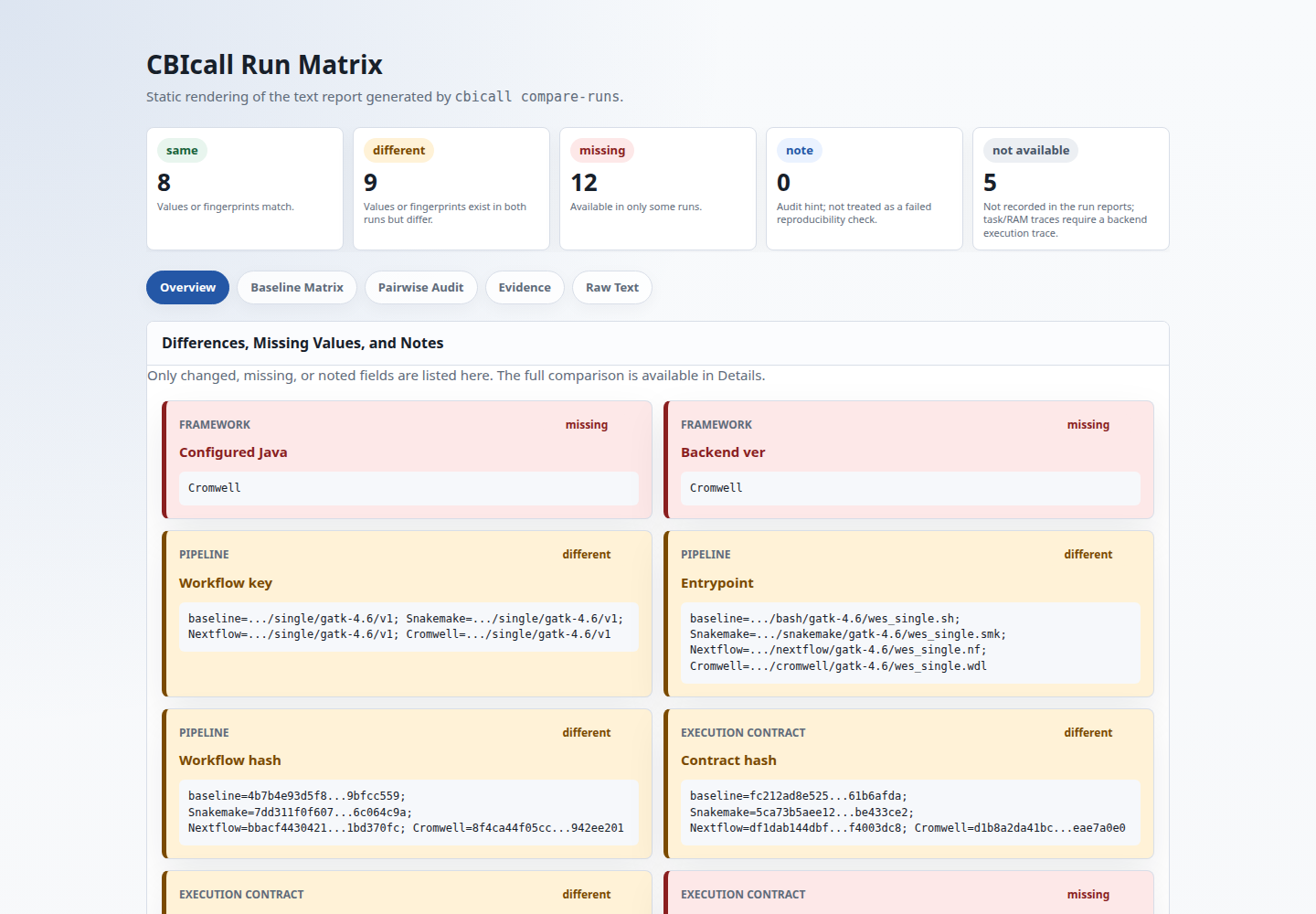
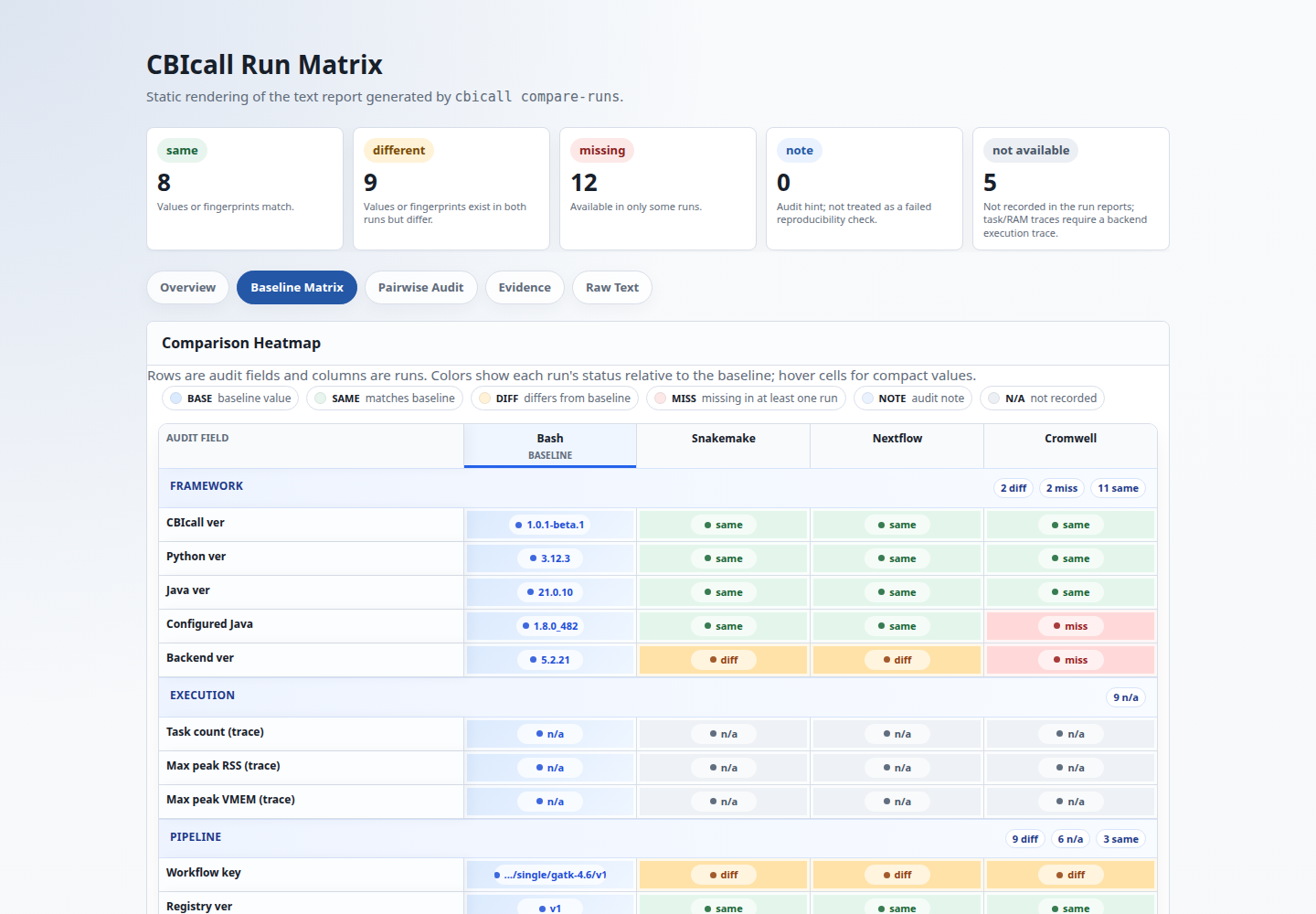
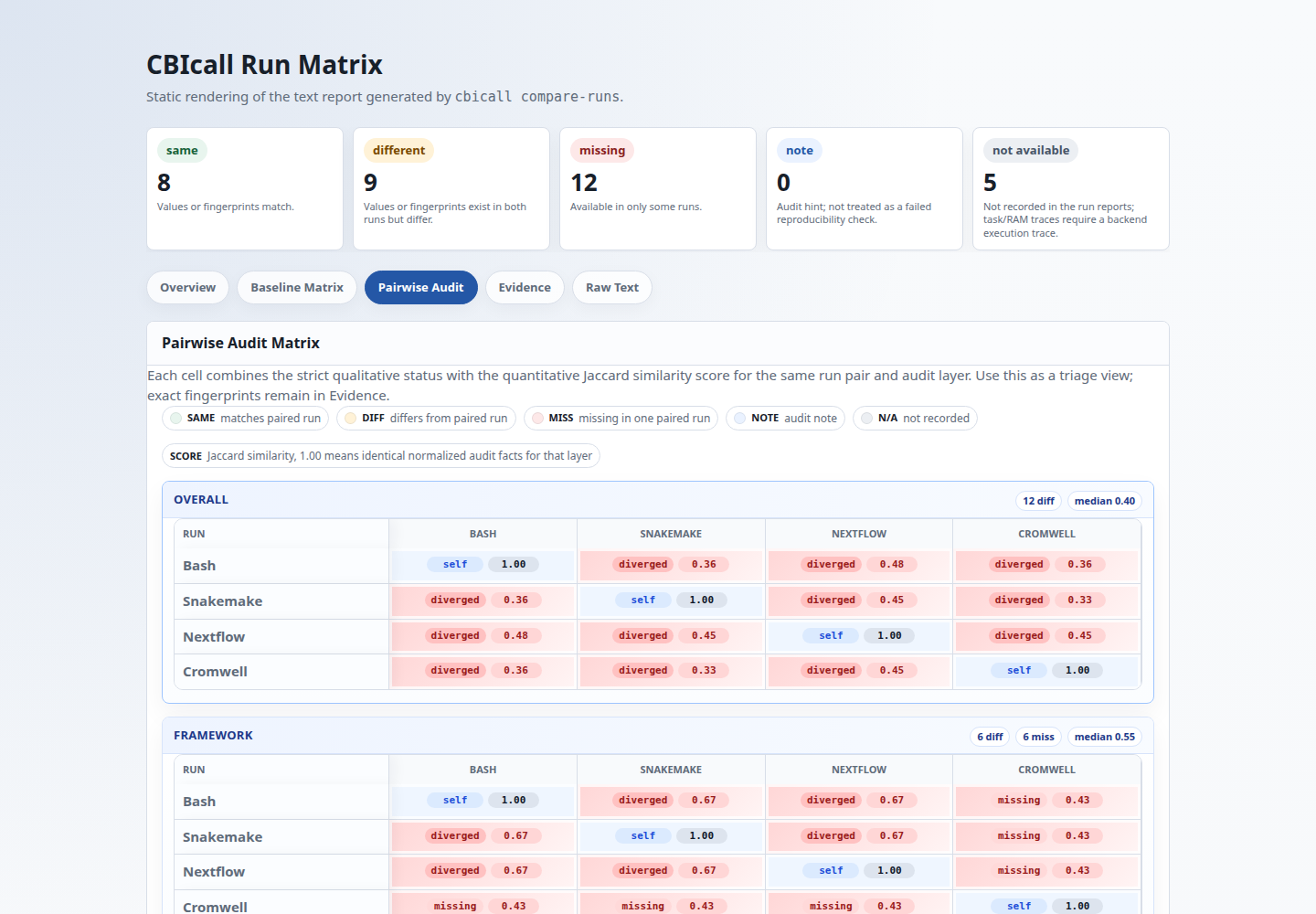
With three or more runs, CBIcall prints both a baseline comparison and an all-to-all matrix. Use aliases when run-directory names are long or opaque.
bin/cbicall compare-runs run_local/ run_cloud/ run_hpc/ \
  --alias local cloud hpc \
  --output compare-report.txt \
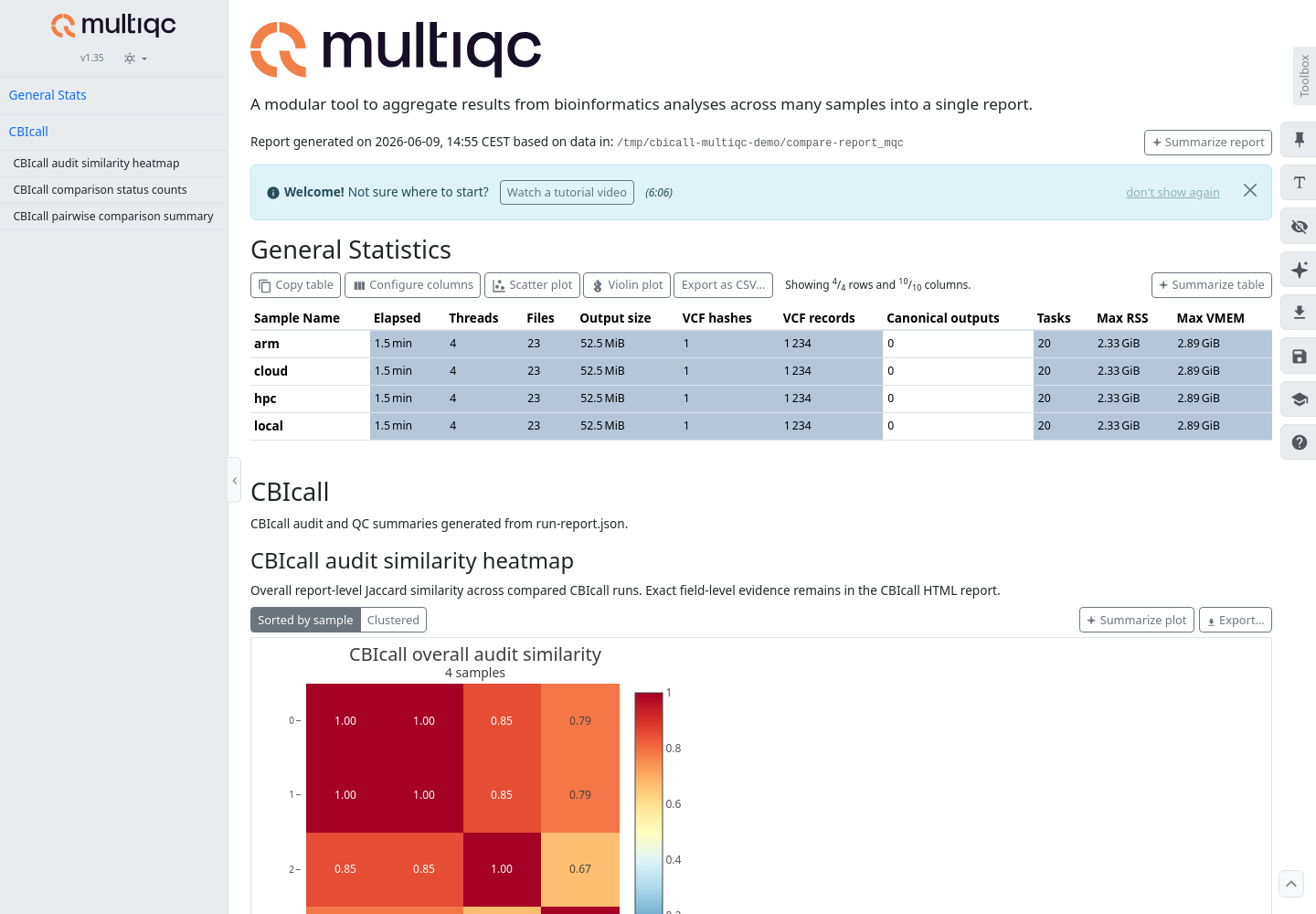
  --multiqc
multiqc compare-report_mqc/
--multiqc writes a custom-content directory with numeric per-run statistics,
pairwise status/similarity categories, aggregate status counts, and an overall
audit-similarity heatmap. The CBIcall HTML report remains the detailed audit
view.
Keep These Files
For a concise methods or reviewer audit, archive the comparison report plus the run reports that were compared.
| File | Why it matters |
|---|---|
compare-report.txt | Canonical text audit artifact; easy to diff and archive. |
compare-report.html | Static browser view with overview, matrices, evidence, and raw text. |
run-report.json | Compact provenance report used by compare-runs. |
log.json | Full resolved configuration, runtime parameters, and resource details. |
cbicall-execution-contract.json | Backend-ready command, generated launch files, and normalized execution fingerprint. |
| Workflow log | Execution log for Bash, Snakemake, Nextflow, or Cromwell. |
03_stats/*.vcf.sha256.txt | Normalized VCF fingerprint report when produced by the workflow. |
What Is Compared
| Layer | Main evidence |
|---|---|
| Framework | CBIcall, Python, Java, configured native Java, and backend versions. |
| Pipeline | Workflow key, registry version, entrypoint, external release, and workflow fingerprint. |
| Execution | Task count and peak RSS/VMEM when the backend provides an execution trace. |
| Execution contract | Normalized execution-contract fingerprint, command fingerprint, and generated launch-file hashes. |
| Software | Software-version fingerprint from the resource catalog or workflow-reported version table. |
| Workflow files | Entrypoint and helper/config file paths plus SHA-256 values. |
| Resources | Resource key, version, and fingerprint from the selected resource catalog entry. |
| Outputs | File-inventory fingerprint, inventory size, and normalized VCF fingerprints. |
For output reproducibility, prioritize the normalized VCF fingerprint. It is computed from VCF records, not raw compressed bytes, so header timestamps, command lines, and compression metadata do not create false differences.
Read The HTML
The text report is the canonical artifact, but the HTML report is easier to scan:
| Tab | Use it for |
|---|---|
| Overview | Quick run count, status summary, and high-level differences. |
| Baseline Matrix | Field-by-field comparison against the first run, when the report includes a baseline view. |
| Pairwise Audit | One NxN matrix per audit layer, shown for multi-run all-to-all reports; each cell shows a derived category plus Jaccard similarity. |
| Evidence | Baseline values and compact fingerprints behind the visual summaries. |
| Raw Text | Exact terminal-style report embedded in the HTML. |
The Pairwise Audit tab combines the two comparison signals in one matrix.
Each cell combines CBIcall's strict pair status with a Jaccard similarity score
over normalized report facts for the same run pair and audit layer. The visible
category is derived for readability: same, near, partial, diverged,
missing, or n/a; the hover text keeps the exact strict status. This helps
triage and cluster comparable runs, but it does not replace exact hash
comparisons or biological concordance analyses.
Interpret Differences
Use this order when reading a comparison:
- Check Framework and Software to see whether the driver, runtime, or tool table changed.
- Check Execution Contract to confirm CBIcall launched the same backend-ready plan.
- Check Pipeline and Workflow files to locate changed workflow code or config.
- Check Resources to confirm the external dependency bundle matches.
- Check Outputs, especially the normalized VCF fingerprint.
If the workflow fingerprint changed but the normalized VCF fingerprint is the same, the compared VCF records match under CBIcall's deterministic comparison rules. The workflow change should still be inspected before claiming full execution identity.
The default report shape is usually the right one: two runs get a direct
comparison, and three or more runs get baseline plus all-to-all views. Use
--comparison-view baseline, --comparison-view all-to-all, or
--comparison-view both only when you need to force a specific report shape for
an automated audit or manuscript figure.
Status Vocabulary
| Status | Meaning |
|---|---|
same | Values or fingerprints match. |
different | Values or fingerprints exist in all compared runs but differ. |
missing | Evidence is present in only some runs. |
note | Audit hint; not treated as a failed reproducibility check. |
not available | Evidence is not recorded in any compared run. |
Fingerprint Notes
Workflow and resource fingerprints are computed at runtime from the files and catalog entries actually resolved for the run. CBIcall deliberately does not store expected workflow hashes in the registry or catalog, because harmless comment or formatting edits would otherwise require metadata churn.
The execution-contract fingerprint is normalized by replacing the run directory and run ID with placeholders. This lets repeated runs compare as the same contract even when their output directories differ.
For external nf-core workflows, CBIcall uses canonical output patterns declared
in the workflow registry. For example, the Sarek entry points to the
HaplotypeCaller VCF under sarek/variant_calling/haplotypecaller/, so repeated
Sarek runs can be audited without hard-coding Sarek paths in compare-runs.
The file-inventory fingerprint is path-based, not content-based. It hashes the sorted list of relative file paths in the run directory, excluding generated report files and backend work directories. Use it to audit run-directory layout; use normalized VCF hashes to audit compared variant records.
Inspect One Run
To inspect one completed run without rerunning the workflow:
bin/cbicall report completed_run/
This is read-only by default. Add explicit flags when you want artifacts to be generated or refreshed:
bin/cbicall report completed_run/ --html
bin/cbicall report completed_run/ --refresh -O
bin/cbicall report completed_run/ --refresh --html -O
--html writes run-report.html; --refresh updates output-derived metadata
such as the file inventory and VCF hash sidecars in run-report.json. Existing
files are not replaced unless -O/--overwrite is supplied.