Run Comparison
cbicall compare-runs compares completed CBIcall run directories or
run-report.json files. It is intended for reproducibility checks across
repeated local runs, HPC runs, container runs, or cloud runs.
The command does not try to prove that two biological analyses are equivalent. It gives an audit trail for the framework layer: which CBIcall version ran, which registered pipeline was resolved, which workflow files were executed, which resource identity was selected, and whether normalized VCF output fingerprints match when available.
Minimal Audit
bin/cbicall compare-runs run_a/ run_b/ \
  --output compare-report.txt \
  --html compare-report.html
Keep these files from each completed run:
| File | Why it matters |
|---|---|
run-report.json | Compact provenance report used by compare-runs. |
log.json | Full resolved configuration, runtime parameters, and resource details. |
| Workflow log | Execution log for the selected Bash or Snakemake backend. |
03_stats/*.vcf.sha256.txt | Normalized VCF fingerprint report when produced by the workflow. |
For a concise methods audit, archive compare-report.txt together with the two
run-report.json files. The optional HTML file is useful for manual browsing
but contains the same comparison content as the text report.
With two runs, CBIcall prints a direct pairwise comparison. With three or more runs, the first run is used as the baseline and the remaining runs are compared against it:
bin/cbicall compare-runs baseline_run/ repeat_1/ repeat_2/ repeat_3/ \
  --output compare-report.txt \
  --html compare-report.html
What Is Compared
| Layer | Fields |
|---|---|
| Framework | CBIcall version recorded in run-report.json. |
| Pipeline | Workflow key, pipeline implementation version, entrypoint, and workflow fingerprint. |
| Workflow files | Entrypoint and helper/config file paths plus their SHA-256 values. |
| Resources | Resource key and resource fingerprint from the selected resource catalog entry. |
| Outputs | Normalized VCF fingerprints when 03_stats/*.vcf.sha256.txt is present. |
The workflow fingerprint is computed from the resolved workflow files. Any byte change in the entrypoint, helpers, Snakefile, or config files changes this fingerprint, including comment-only edits. This is deliberate: it tells the auditor that the implementation used for the second run was not exactly the same implementation used for the first run.
The output fingerprint is different. It is computed from normalized VCF records, not from the raw VCF file bytes. This avoids reporting false differences caused only by VCF header timestamps, command lines, or compression metadata.
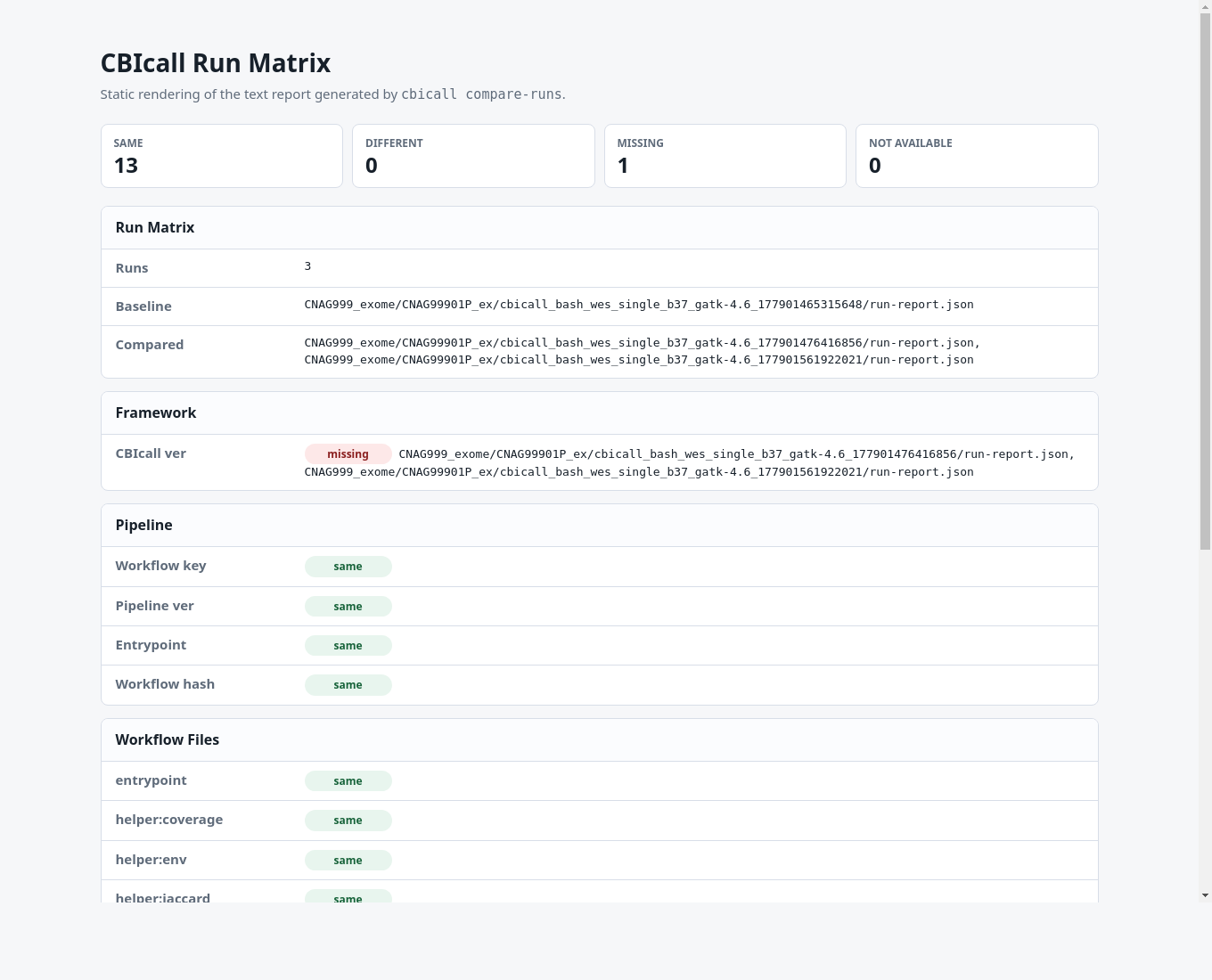
The status vocabulary is intentionally small:
| Status | Meaning |
|---|---|
same | Values or fingerprints match. |
different | Values or fingerprints exist in all compared runs but differ. |
missing | Evidence is present in only some runs. |
not available | Evidence is not recorded in any compared run. |
How To Read The Result
Use this order when auditing two runs:
- Check Framework. A different CBIcall version means the execution driver changed between runs.
- Check Pipeline and Workflow files. A different workflow fingerprint means the resolved workflow implementation changed. Inspect the listed file fingerprints to locate the changed file.
- Check Resources. A different resource key or hash means the selected external dependency set was not the same.
- Check Outputs. Matching normalized VCF fingerprints indicate that the compared variant records match under CBIcall's deterministic VCF comparison rules.
If the workflow fingerprint changed but the normalized VCF fingerprint is the same, the two runs produced the same compared VCF records despite an implementation text change. That is useful audit evidence, but the change should still be inspected before claiming full execution identity.
Reports
The text report is the canonical audit artifact because it is easy to diff, archive, and attach to review material. The HTML report is a static rendering of the same information for browsing.
Interpretation
A changed workflow fingerprint means the resolved workflow files are not byte-identical. That is audit evidence, not automatically a failed analysis. For example, editing a comment in a Bash workflow changes the workflow hash but may leave the normalized VCF fingerprint unchanged.
For output reproducibility, prioritize the normalized VCF fingerprint. For implementation provenance, inspect the workflow and helper file fingerprints.