Reports
dicomqc v0.1 writes JSON, CSV, and MultiQC custom-content reports.
dicomqc scan study/ --json report.json --csv findings.csv --multiqc
Redaction
Reports do not include raw DICOM values by default. Findings and tag inventory show whether a value is absent, empty, or present, but not the observed value.
This protects audit artifacts from becoming a second source of PHI.
JSON
The JSON report includes:
- tool metadata
- selected profile
- summary counts
- normalized record inventory
- findings
- skipped files
CSV
The CSV report contains one row per finding with:
- path
- rule ID
- profile ID
- severity
- tag and keyword
- value state
- message
- recommendation
MultiQC
--multiqc writes a dicomqc_mqc/ directory by default:
dicomqc scan study/ --multiqc
multiqc .
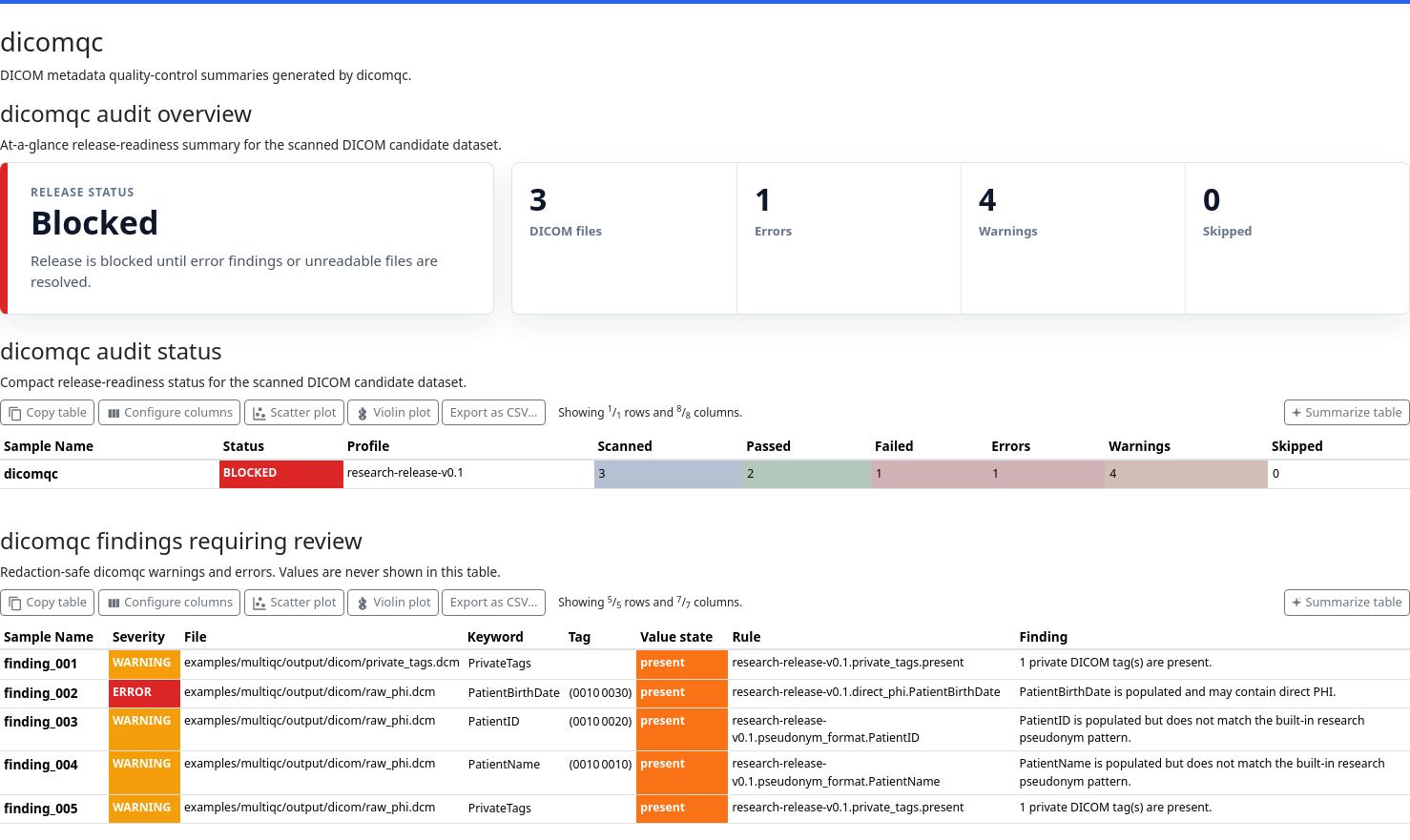
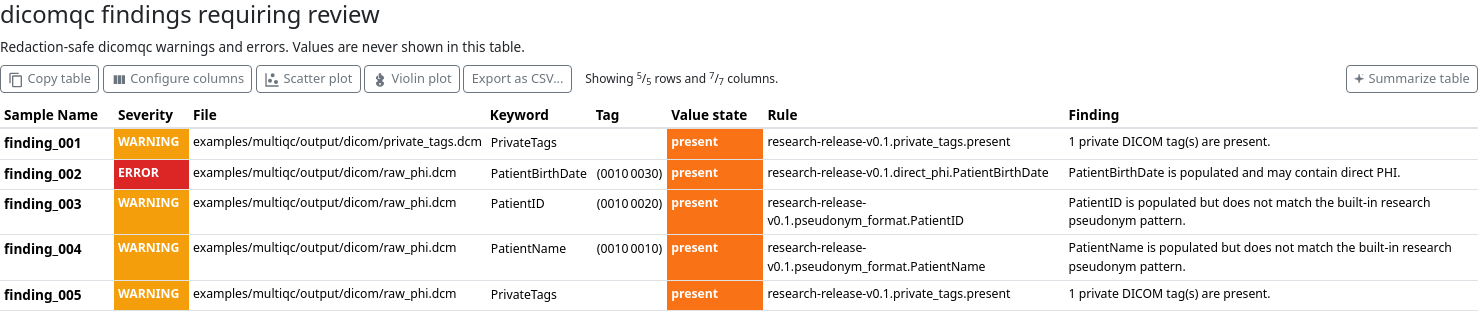
The directory contains small *_mqc.yaml custom-content files. MultiQC renders
these as dicomqc general statistics, a compact audit-status table, and a
redaction-safe findings table. The JSON and CSV reports remain the primary
evidence artifacts; MultiQC is a companion view for projects that already
aggregate QC results.
Use a custom output directory when needed:
dicomqc scan study/ --multiqc reports/dicomqc_mqc
Example Report
The CLI includes a reproducible demo that generates synthetic DICOM files and writes redaction-safe dicomqc reports:
dicomqc demo --output-dir dicomqc-demo --force
If MultiQC is installed, render the custom-content bundle:
multiqc dicomqc-demo/dicomqc --outdir dicomqc-demo --force --config examples/multiqc/multiqc_config.yaml
The rendered report is written to:
dicomqc-demo/multiqc_report.html
Screenshots