COHORTome
Explore clinical records, assays, and imaging; find patient groups; and run analyses with their settings and results saved together. Optional LLM assistance helps with queries and result explanations.
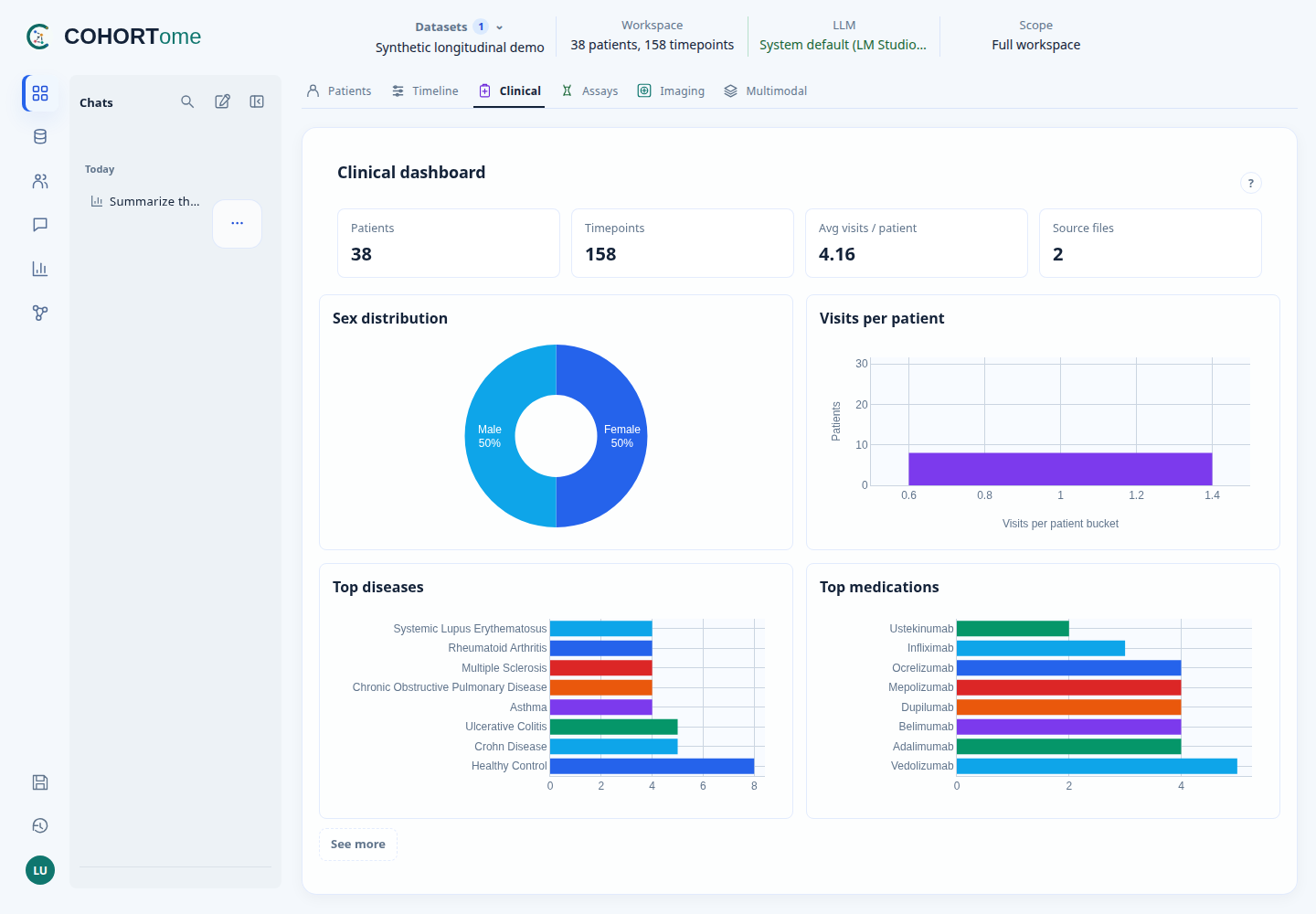
The shared research interface. Screenshots in these guides use bundled synthetic data.
Choose where to work
| Desktop | Web | |
|---|---|---|
| Best for | Individual work on your computer | Teams using shared, centrally managed data |
| Accounts | One local owner; no login | User accounts and dataset permissions |
| Start | Desktop guide | Web deployment |
Desktop is recommended for individual use. Check the installation guide for release availability. Web supports shared servers with user accounts and dataset permissions. Deploy the prebuilt Docker Hub image using the web guide. Both use the same research interface. Web is not a federated analysis system.
Try a first task
- Load data. Open Datasets, select a bundled dataset, and apply it.
- Explore. Use Dashboard to check patients, available measurements, and modality coverage.
- Find a group. In Query, ask “Which patients have Crohn Disease?” using the Synthetic longitudinal demo.
- Keep or analyze it. Save the result as a cohort, open it in Analysis, or compare profiles in Pheno-Ranker.
For complete examples, follow the five user journeys. The Synthetic cross-sectional demo includes molecular measurements for assay-based examples.
Where do I go?
| I want to… | Open |
|---|---|
| Inspect one patient's records and linked assays | Dashboard → Patients |
| See when observations and assays were collected | Dashboard → Timeline |
| Find patients with several modalities | Dashboard → Multimodal |
| Find, save, or export a patient group | Query, then Cohorts |
| Run a statistical or molecular analysis | Analysis |
| Compare phenotypic profiles | Pheno-Ranker |
| Reopen a conversation or completed run | Chats or Run history |
Using an LLM
Supported queries and analyses work without an LLM. When a model is used, the reply identifies whether it planned the query or generated an explanation.
Workspace questions use permitted dataset context. General question does not attach workspace data. A model running on your computer or trusted local network is different from an external service; configure that boundary explicitly. See Governed AI.
Research context and limits
COHORTome is a research workbench, not a primary data warehouse or clinical decision system. It consumes approved data releases and keeps their provenance.
It is being developed in the context of 3TR and can be used with other approved biomedical datasets. See Project context.
Synthetic results demonstrate software behavior, not biological findings. Data preparation and quality review remain necessary before analysis. See Scope and boundaries for current limits, and Architecture for the component design.