ClarID-Pocket
ClarID-Pocket is a mobile companion to ClarID-Tools. It scans ClarID QR labels and displays decoded subject or biosample fields directly on the device. Both the Android and iOS/iPadOS implementations scan and decode offline.
iOS/iPadOS is a developer proof of concept, successfully tested on a physical iPad. There is no public IPA, TestFlight invitation, or App Store download.
Release v0.2.0 is being prepared and has not been published. The Android download below points to the latest published release.
- Android 8+
- iOS/iPadOS 15+
Install on Android
An installable APK is available through GitHub Releases.
Download Android APK- Open the latest release on your phone and download the
.apkfile. - Open the APK. If Android asks, allow installation from the browser or file manager you used, then tap Install.
- Open ClarID-Pocket, tap Scan QR, and allow camera access.
No Android Studio, computer, USB connection, or account is required.
Scan and decode
The controls and screenshots below describe the Android app.
Leave Entity and Format on Auto for routine scanning. Point the camera at a ClarID QR label; the result reports Detected: Subject or Detected: Biosample, followed by the decoded fields.
If several QR codes are visible, use the centre crosshair to select the intended label. Tap to focus or pinch to zoom.
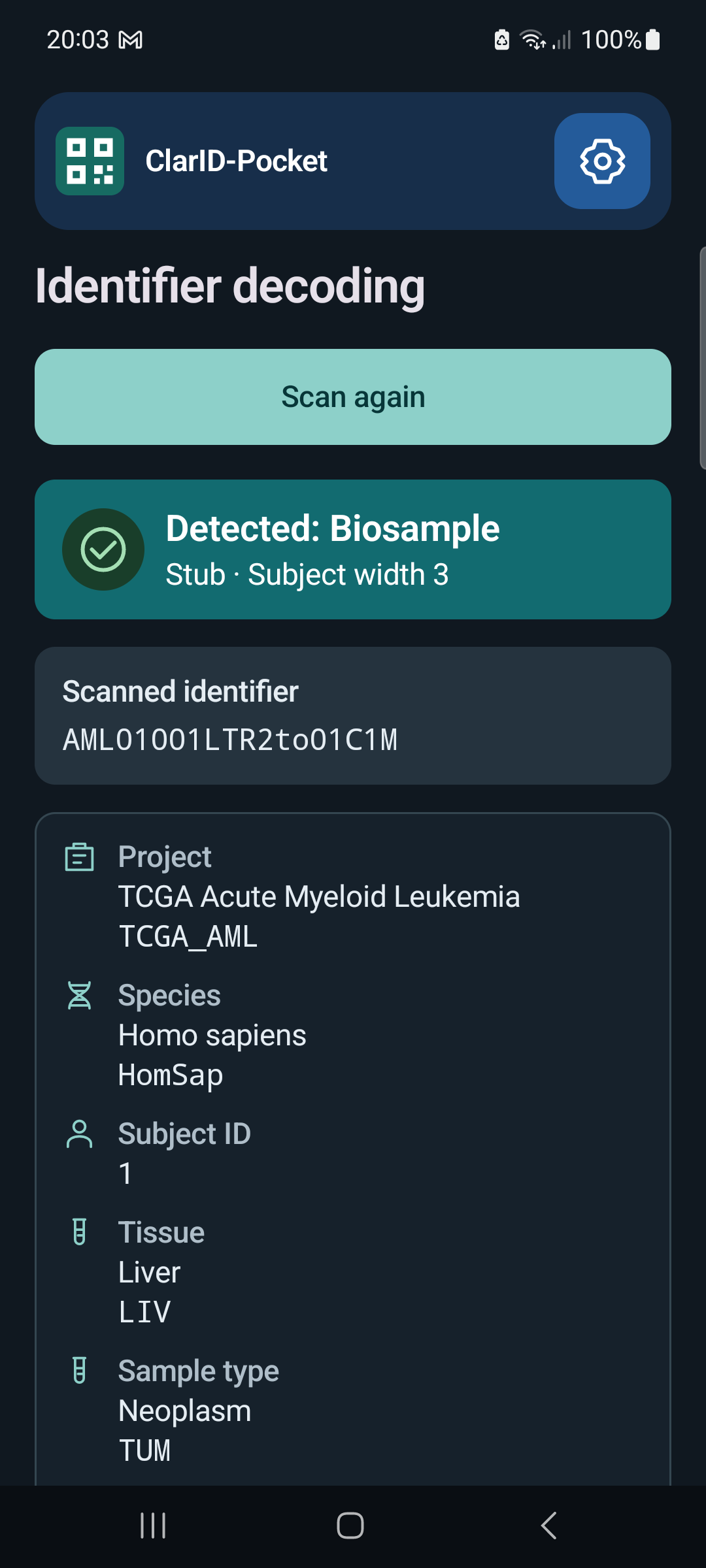
Settings and updates
The gear button opens Settings. Auto supports subject and biosample identifiers in Human and Stub formats. To override detection, choose Entity first and then Format.
Advanced contains the subject widths. These must match the settings used to create the label; the app does not infer them.
About → Check for updates checks published releases on GitHub and opens the download page when a newer version is available. Only this optional check needs internet access. Installing a newer APK signed with the same release key preserves your settings.
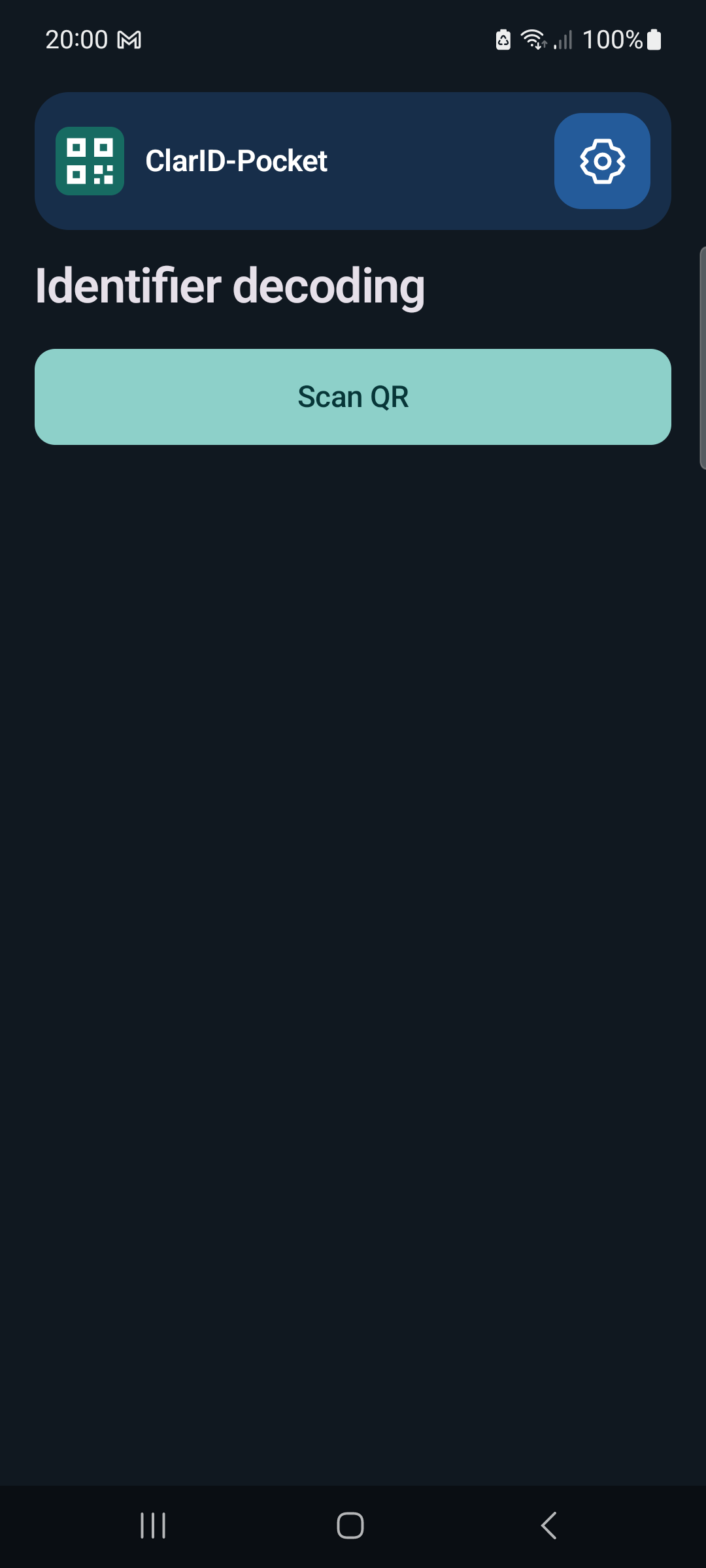
Start a scan or open Settings.
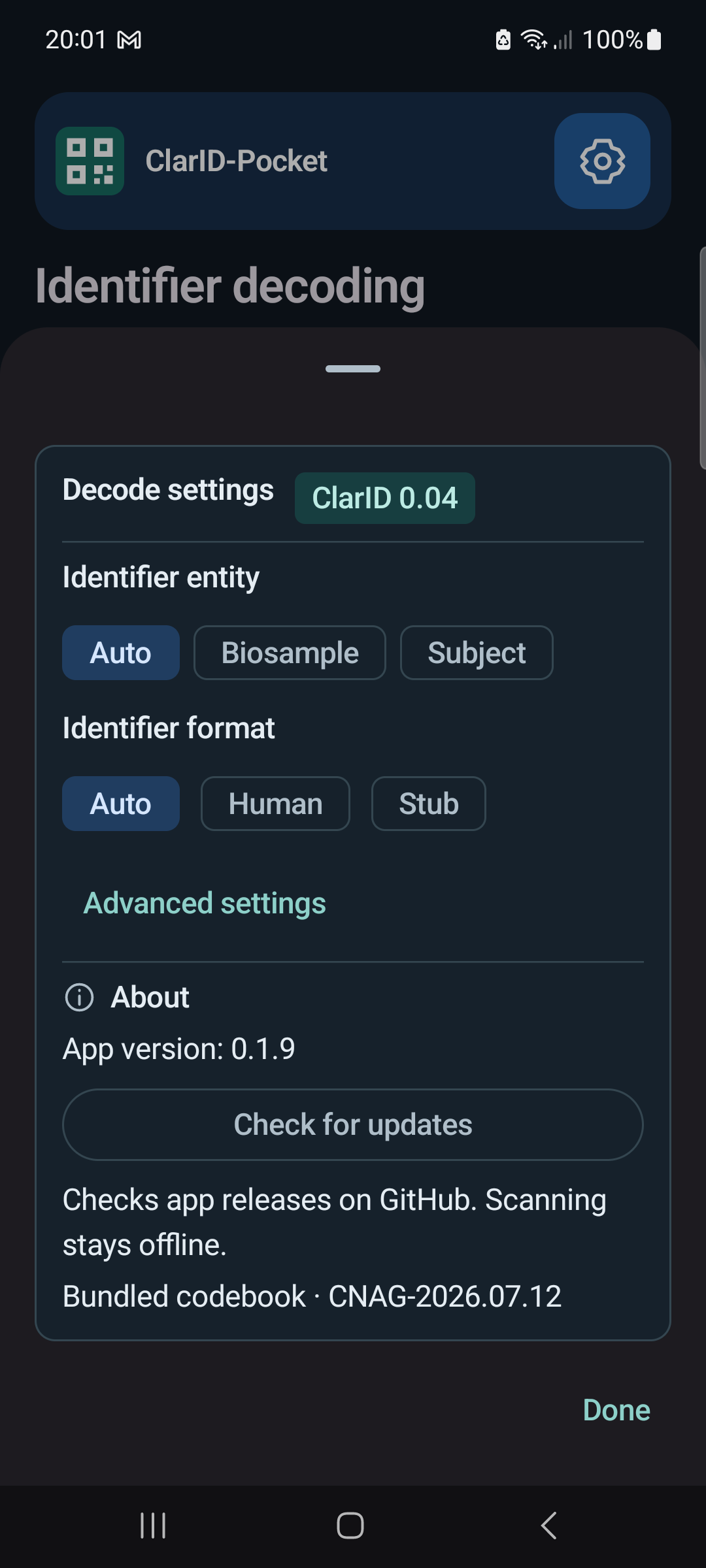
Choose known parameters or check for updates.
Screenshots from version 0.1.9 on a Samsung Galaxy A51, using the bundled example label. Select an image to view it at full size.
Privacy
On Android, the app stores decoding settings in private storage. It keeps no scan history and does not upload scanned identifiers. QR text and decoded results remain in memory.
The native SwiftUI app has been successfully tested on a physical iPad, including scanning, focus, zoom, settings, and update checks. There is no public IPA, TestFlight invitation, or App Store download.
Installation requires a Mac, Xcode, and your own Apple signing account. The device may require you to trust the developer certificate. Free Personal Team signing expires after seven days, requiring rebuilding and reinstalling the app.
Follow the repository's iOS developer instructions to build and install it. Scanning and decoding work offline; update checks require internet access.
Compatibility
ClarID-Pocket supports ClarID 0.04 with its bundled codebook. Older specification releases, imported codebooks, and encoding are not supported. See the specification and codebook documentation for the shared format.